LED pixel mapping · Art-Net · by NOULED.STUDIO

Draw it.Patch it.Light it.

nouPix maps your LED fixtures, plays effects, shaders, video and window capture on them, and sends it all out over Art-Net. Free, for macOS and Windows.

v1.0.0 · macOS 12 or newer · Windows 10 or newer

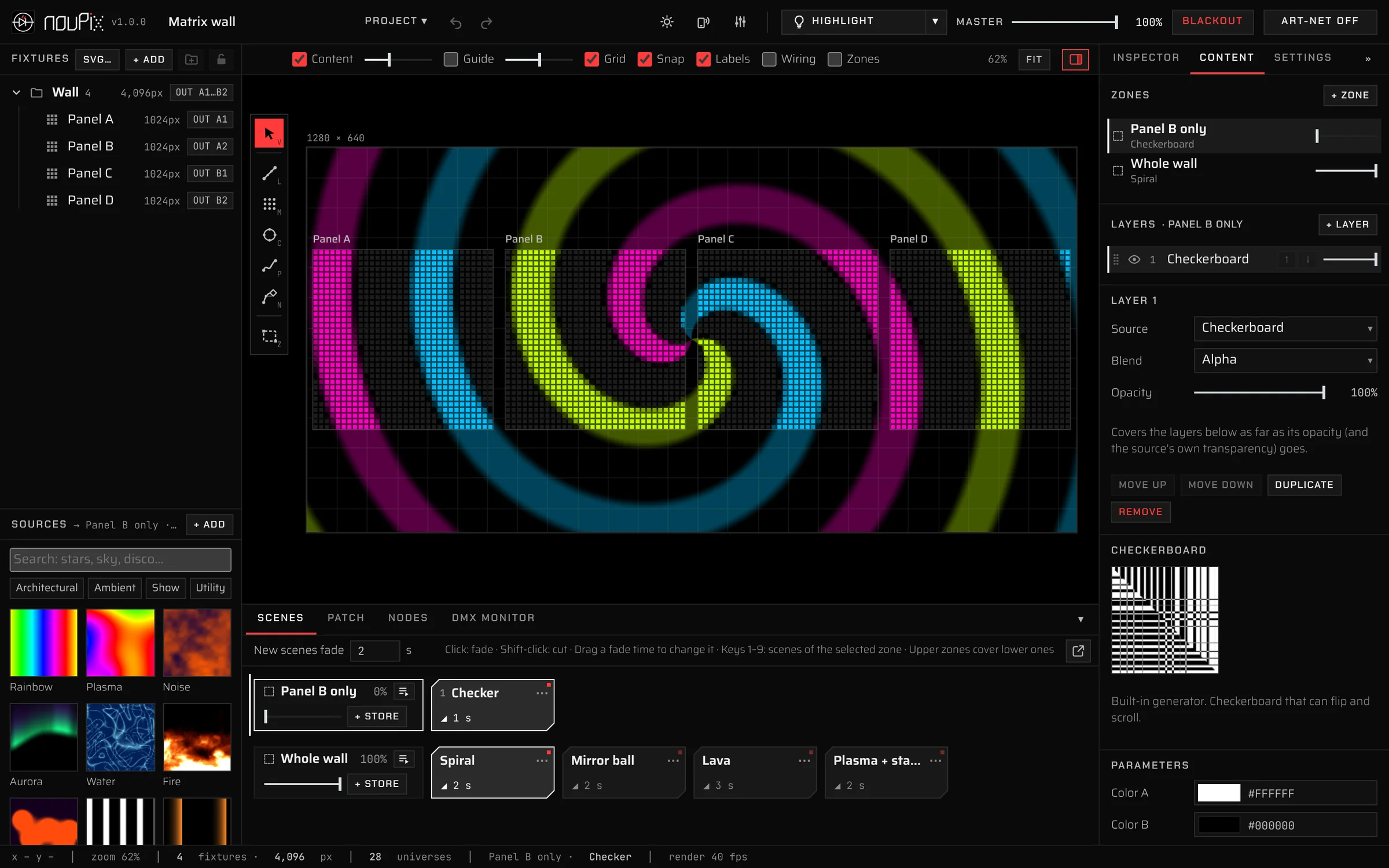
nouPix with a wall of four LED matrix panels playing a spiral effect: fixture list, stage, scenes and the Content panel
  • 32built-in effects
  • 8 / 16-bitfixtures and dimming curves
  • Art-Netout, with node discovery
  • MIDIlearn, patch bay, macros
  • Remotephones and tablets
  • Offlinenothing to install
//

What it does

01 / Map

Draw your fixtures, or import them

Lay out the installation as it is built: every pixel where it really sits.

  • Lines, matrices, circles and ovals, curved paths and a pen
  • Import an SVG drawing of the building as fixtures or as a guide
  • Group, lock, align, rotate, resize, copy and paste
  • Pixel count, colour order and wiring direction per fixture
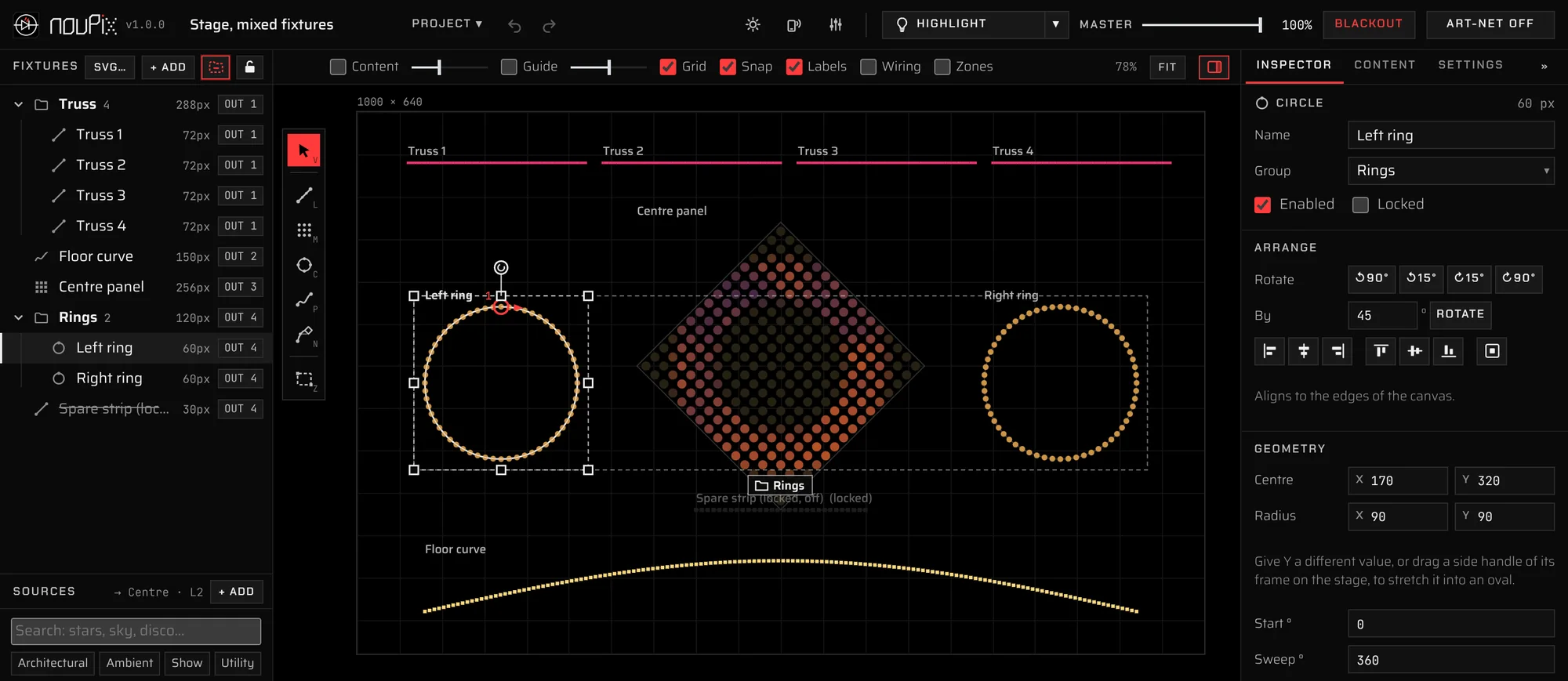
The stage with truss lines, a matrix turned 45°, two rings and a curved strip; one ring selected with its handles, the Inspector open

02 / Play

Effects, shaders, video and capture

From slow washes for architecture to disco, on any part of the layout.

  • 32 built-in generators, sorted by mood, use, look and motion
  • Your own ISF shaders, images and video: trim, loop, with or without sound
  • Window capture, for example Resolume's output
  • Zones and layers with blend modes; colour wheel, RGB and HSV
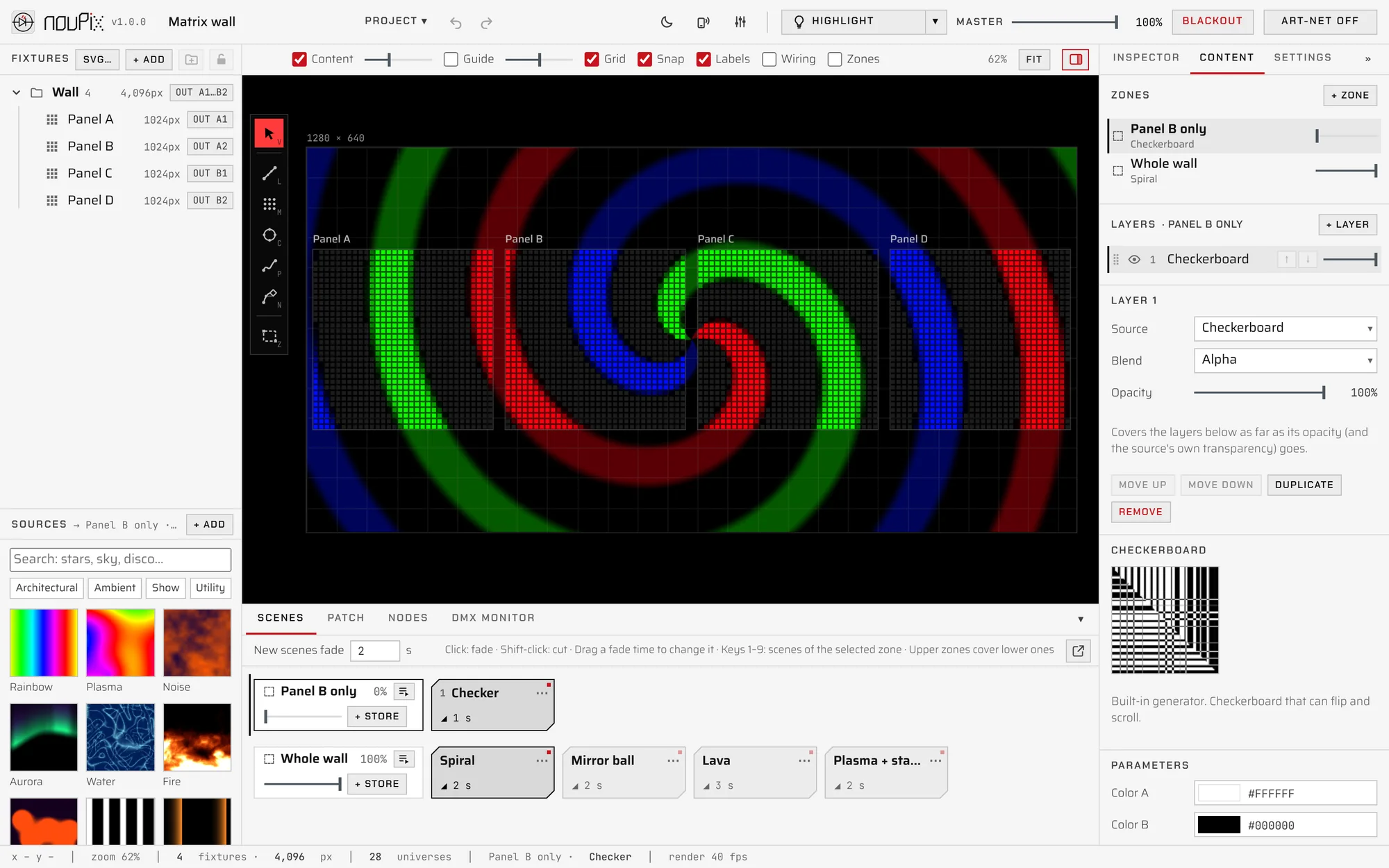
Recorded in nouPix: a 4,096-pixel matrix wall, 28 universes.

03 / Scenes

Store a look. Fade back to it

Build the show once, then play it by hand or let it run by itself.

  • Scenes per zone with crossfades; the fade time sits on each scene
  • Playlists of scenes with play times: in a loop, once, or handing over to another
  • Keys 1–9 play the scenes of the selected zone
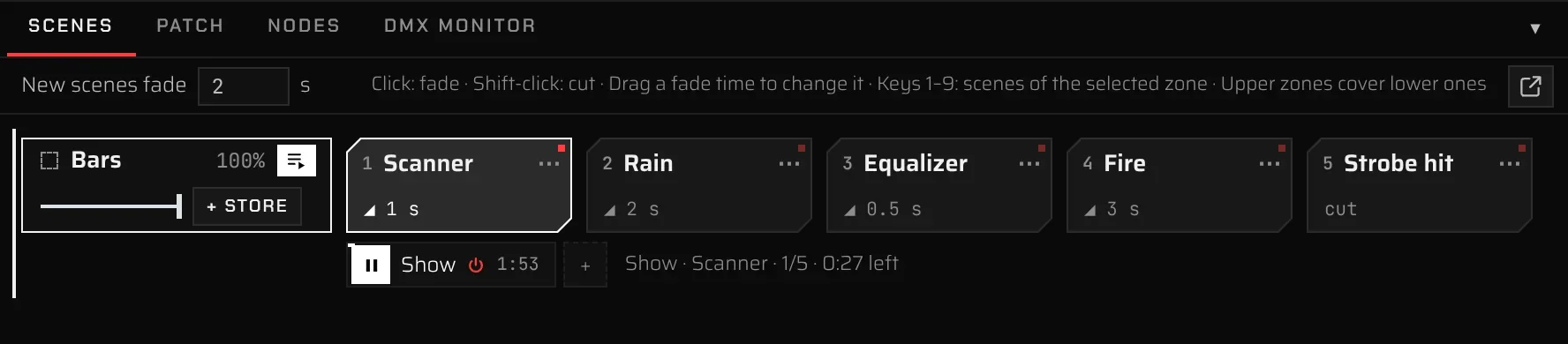
The Scenes panel: five scenes with their fade times and a Show playlist playing

04 / Patch

Patch once. Send Art‑Net

Drag fixtures onto controller outputs and the addresses follow.

  • Automatic addressing, node discovery and a DMX monitor
  • 16-bit fixtures, dimming curves, RGBW, gamma and colour trims
  • Highlight lights fixtures on site: Trace, Flood, Color check, Spotlight, Pixel finder
  • A CSV patch list for the install crew
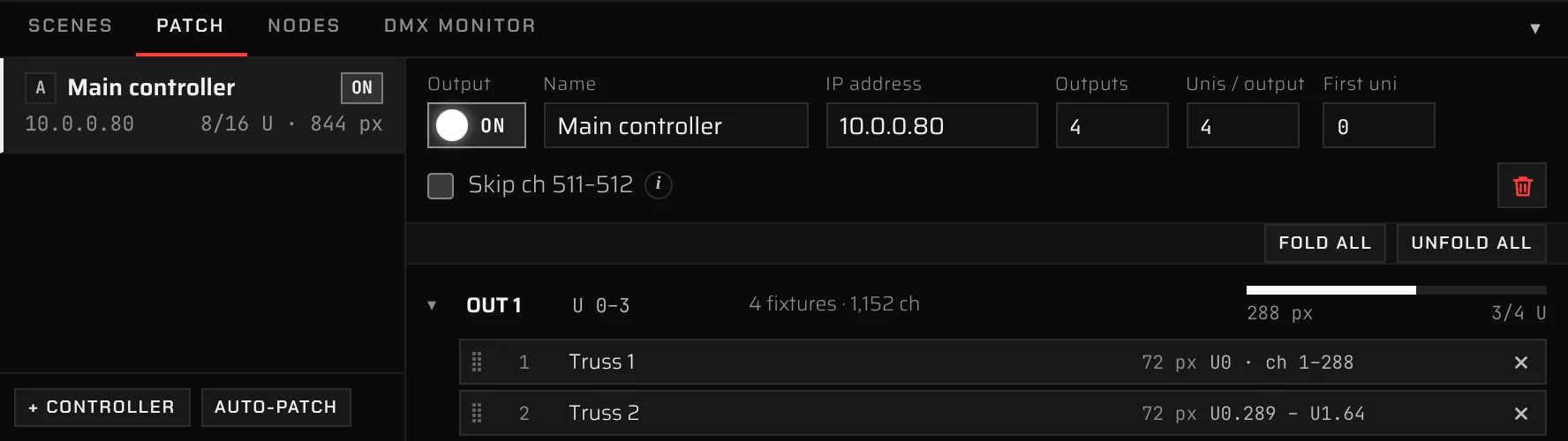
The Patch panel: a four-output controller at 10.0.0.80 with fixtures and their universes and channels

05 / MIDI

Learn your controller in a second

Press Learn, move a fader, click what it should move.

  • Master, blackout, group dimmers, zone levels, scenes and playlists
  • Macros: speed, intensity, saturation and colours for every effect at once
  • Any control of an effect; faders pick up where the slider is
  • Every mapping as a wire in the patch bay, and a virtual controller on screen
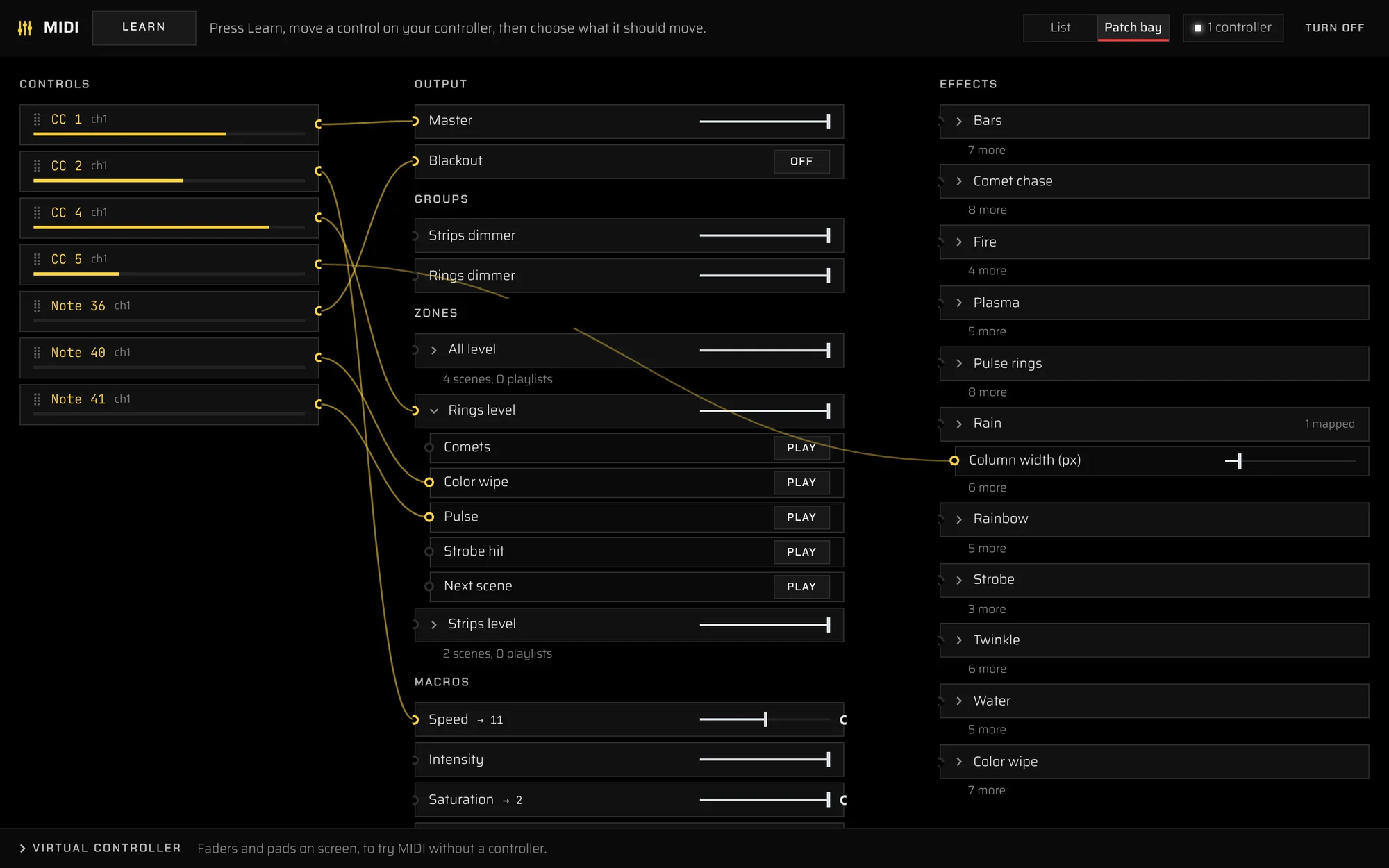
The MIDI patch bay: controller faders and pads wired to the master, blackout, zone levels, scenes and a control of an effect

06 / Remote

Hand a phone to the client

Phones, tablets and other computers on the network log in with a role.

  • Programmer: everything, with a password
  • Operator: content, scenes and playlists; the mapping stays locked
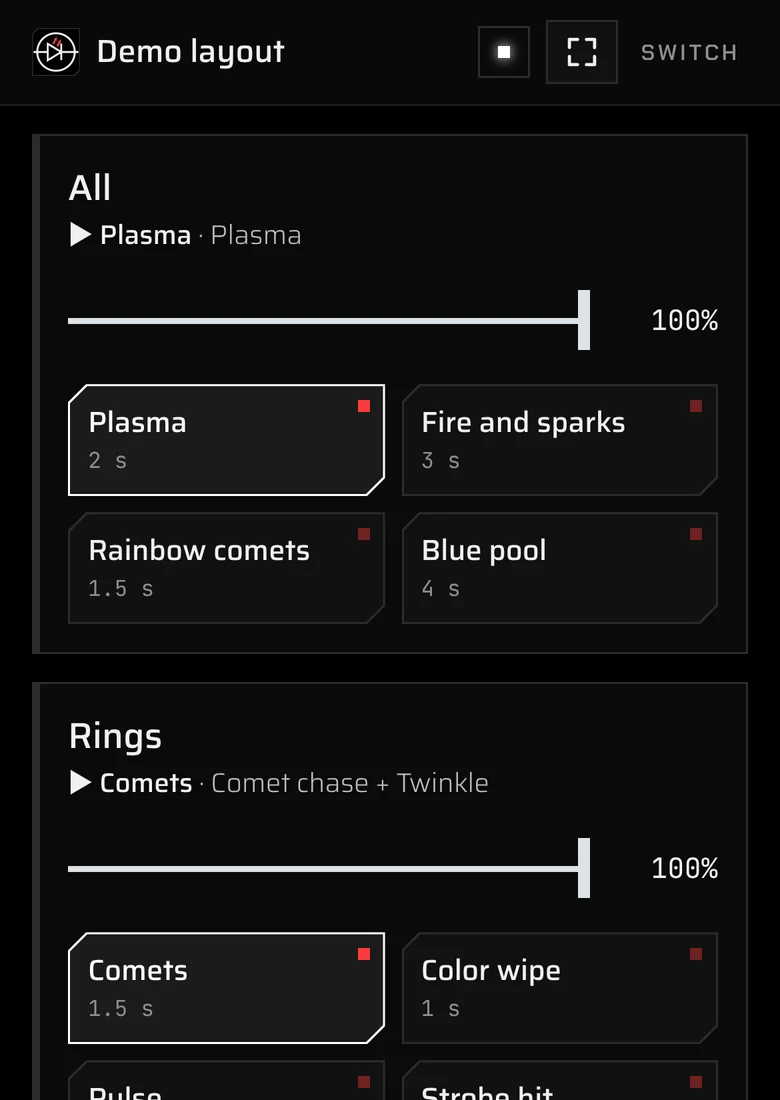
  • Remote: a simple page to play scenes and playlists and dim each zone
The phone remote: three zones with a level fader and their scenes

07 / Look

Black for the show. White for daylight

The interface is black, so the light on the stage is the brightest thing on screen. One click turns it white for working outside.

  • Works offline: fonts and everything else come with the app
  • The output keeps running when the window is minimised or covered
  • Projects save to a file you can carry to the site
nouPix in its white look
//

Download

Latest: v1.0.0 Release notes All versions Free. Nothing else to install.
On a MacOpen the .dmg and drag nouPix onto Applications. The app isn't signed yet: the first time, click Done on the warning, then System Settings → Privacy & Security → Open Anyway.
On WindowsRun the installer. SmartScreen may say it protected your PC: click More info → Run anyway. It adds nouPix to the Start menu.
On the networkAllow nouPix through the firewall on private networks when asked, or node discovery won't find your controllers.
//

Licence

Free to use

  • Download nouPix and use it for free, on as many computers as you like, for personal and commercial projects.
  • Don't sell, rent or redistribute it, on its own or bundled with something else. To share it, share this page.
  • Don't modify, decompile or reverse engineer it, except where the law allows it.
  • nouPix, its name and its logo belong to NOULED.STUDIO. Everything not granted here is reserved.

Read the full licence on GitHub. By downloading or using nouPix you accept it.

Use it as it is

nouPix is tested, but no software is perfect. Test your setup before a show, keep a way to switch the light off, and check your installation's wiring, power and safety yourself: nouPix only sends data.

Flashing light. Some effects (strobe, hits, fast chases) flash quickly and can trigger seizures in people with photosensitive epilepsy. Use them with care where the public can see them.
nouPix includes third-party software under its own licence: the ISF renderer interactive-shader-format by VIDVOX (ISC), Electron (MIT), and the Saira, Chakra Petch and JetBrains Mono fonts (SIL Open Font License 1.1). Their notices come with the app.
Art-Net™ designed by and copyright Artistic Licence Holdings Ltd. macOS is a trademark of Apple Inc. Windows is a trademark of Microsoft Corporation.